

OSSSC Answer Key 2026 Released: Direct Link, How to Download, and Objection Details
OSSSC Answer Key 2026 Released: Direct Link, How to Download, and Objection Details
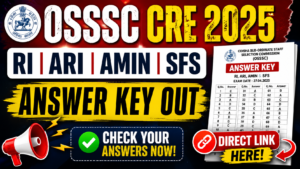
The Odisha Sub-Ordinate Staff Selection Commission (OSSSC) has officially released the preliminary answer key for the [Combined Recruitment Examination (CRE) 2025]. If you appeared for this highly anticipated exam, now is the time to cross-check your responses, calculate your tentative scores, and evaluate your chances of making it to the next round.
In this blog post, we’ve put together everything you need to know: how to download the official PDF, the step-by-step process to raise objections, and what to expect next.
OSSSC Answer Key 2026: Overview
Before diving into the steps, here is a quick summary of the examination and the answer key release:
| Specification | Details |
|---|---|
| Exam Conducting Body | Odisha Sub-Ordinate Staff Selection Commission (OSSSC) |
| Post Name | [ RI, ARI, Amin, SFS, Fore] |
| Answer Key Status | Released |
| Objection Window | 12 JULY 2026 |
| ANSWER KEY DIRECT LINK | ANSWER KEY LINK |

How to Download the OSSSC Answer Key PDF
The commission has uploaded the answer keys on its official portal. Candidates can access it by logging into their applicant dashboard. Follow these simple steps to download yours:
-
Visit the Official Website: Go to the official OSSSC portal at www.osssc.gov.in.
-
Navigate to Applicant Portal: Click on the “Login” button located at the top right corner of the homepage.
-
Enter Credentials: Log in using your Registered User ID/Mobile Number/Email and Password/OTP.
-
Locate the Link: Once logged in, click on the “Examination Management System” tab and find the link for “Link for invitation of objection to Answer Keys”.
-
View and Download: Select your set/series. The answer key PDF will appear on your screen. Download and save it for future reference.
Pro Tip: Make sure to match the question paper booklet series (Set A, B, C, or D) with the correct answer key sheet to avoid any confusion while calculating scores.
How to Challenge the OSSSC Answer Key (Raising Objections)
If you find a discrepancy or believe that an answer provided by the commission is incorrect, OSSSC allows you to challenge it. However, objections must be filed within the stipulated timeframe.
Steps to Raise Objections:
-
Log in to your OSSSC account.
-
Click on the “File Objection” link next to the answer key notice.
-
Select the question number you wish to challenge.
-
Provide the correct answer according to you and upload authentic documentary proof (textbook references, official sources) supporting your claim.
-
Submit the objection before the deadline (12 JULY 2026]).
Disclaimer : odishastudypoint.in is not connected with any Government Organization. We Collect information online and offline. Details and Links available on www.odishastudypoint.in is only for Immediate Information to the Examinees an does not to be a constitute Legal Document. While all Effort have been made to make the information readily available on odishastudypoint.in as Authentic as possible. www.rojgarujala.in is not responsible for any loss to any person or anything. Here can be Error or Inaccuracy of the information Published on the website.